Control Keys

move to next slide (also Enter or Spacebar).
move to previous slide.
 d  enable/disable drawing on slides
 p  toggles between print and presentation view
CTRL  +  zoom in
CTRL  -  zoom out
CTRL  0  reset zoom

Slides can also be advanced by clicking on the left or right border of the slide.

Notation

Type Font Examples
Variables (scalars) italics $a, b, x, y$
Functions upright $\mathrm{f}, \mathrm{g}(x), \mathrm{max}(x)$
Vectors bold, elements row-wise $\mathbf{a}, \mathbf{b}= \begin{pmatrix}x\\y\end{pmatrix} = (x, y)^\top,$ $\mathbf{B}=(x, y, z)^\top$
Matrices Typewriter $\mathtt{A}, \mathtt{B}= \begin{bmatrix}a & b\\c & d\end{bmatrix}$
Sets calligraphic $\mathcal{A}, B=\{a, b\}, b \in \mathcal{B}$
Number systems, Coordinate spaces double-struck $\mathbb{N}, \mathbb{Z}, \mathbb{R}^2, \mathbb{R}^3$

Procedural Textures

Procedural Textures

  • Procedural textures generate patterns or structures that are calculated in the shader from the texture coordinates
  • The patterns are not read from a bitmap texture, but are calculated from mathematical formulas
  • Therefore, procedural textures are independent of the resolution of a bitmap texture and can be viewed from arbitrarily close distances without pixelation (similar to a vector graphic)

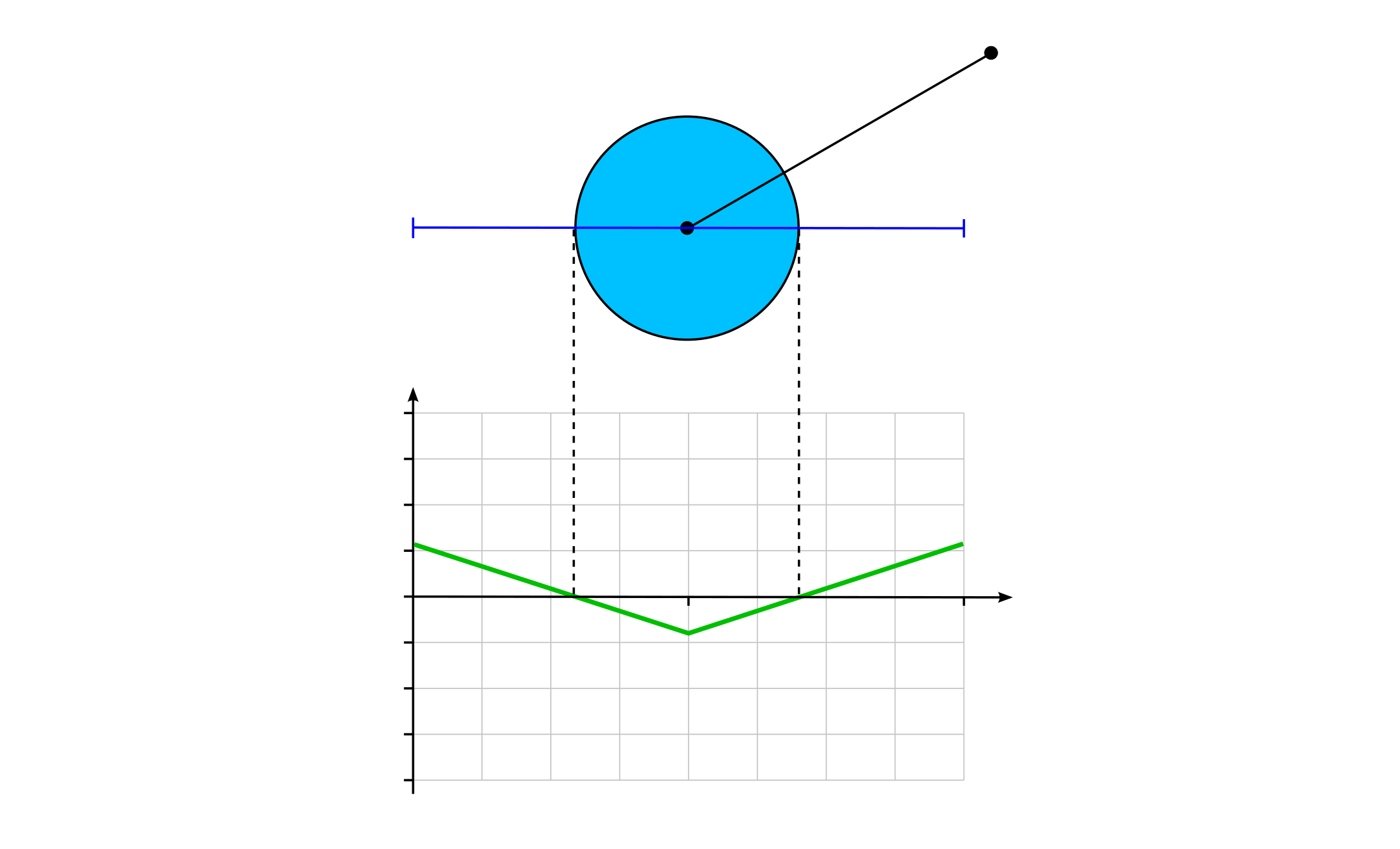
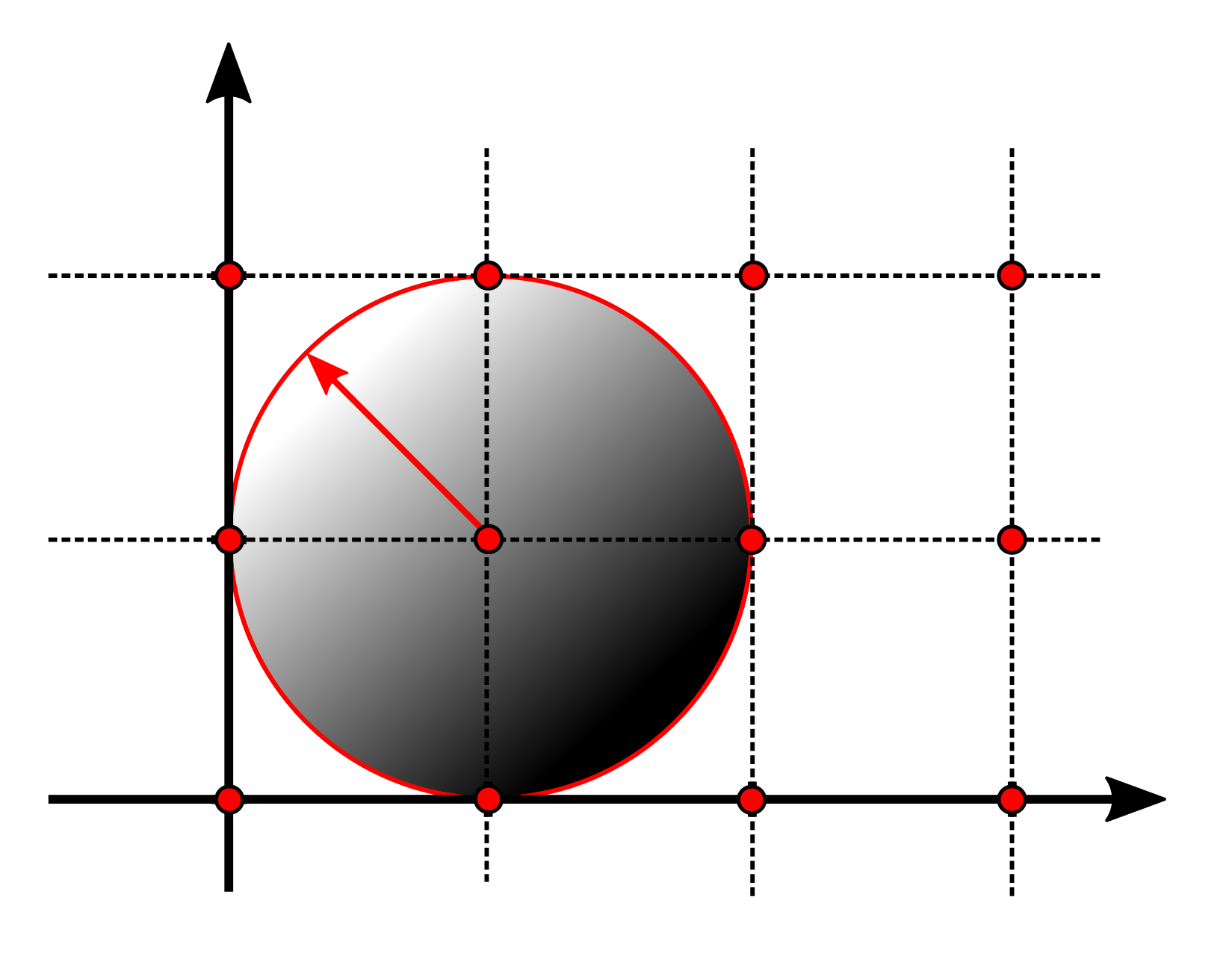
Signed Distance Function (SDF) of a Circle

circle_sdf_05
$r$
$\mathbf{c}$
$\mathbf{p}$
$\operatorname{sdf} = |\mathbf{p} - \mathbf{c}| - r$
$1.0$
$1.0$
$1.0$
$-1.0$
$0.5$
$-0.5$
$0.0$
$0.0$
$\operatorname{sdf}$

Fill and Stroke Functions for SDFs

  • Fill
    float fill(float sdf) {
        return step(0.0, -sdf);
      }
  • Stroke
    float stroke(float sdf, float strokeWidth) {
      return fill(abs(sdf) - strokeWidth);
    }
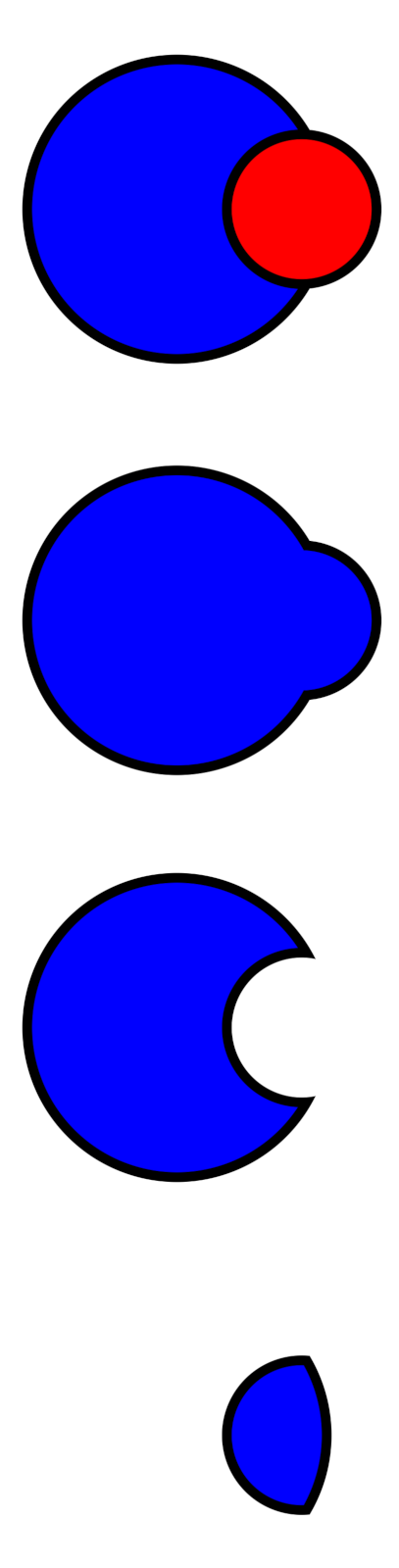
Set Operations for Signed Distance Functions

twocircles
  • Union
    float unionSDF(float sdf0, float sdf1) { 
      return min(sdf0, sdf1); 
    }
  • Difference
    float differenceSDF(float sdf0, float sdf1) { 
      return max(sdf0, -sdf1); 
    }
  • Intersection
    float intersectionSDF(float sdf0, float sdf1) { 
      return max(sdf0, sdf1); 
    }
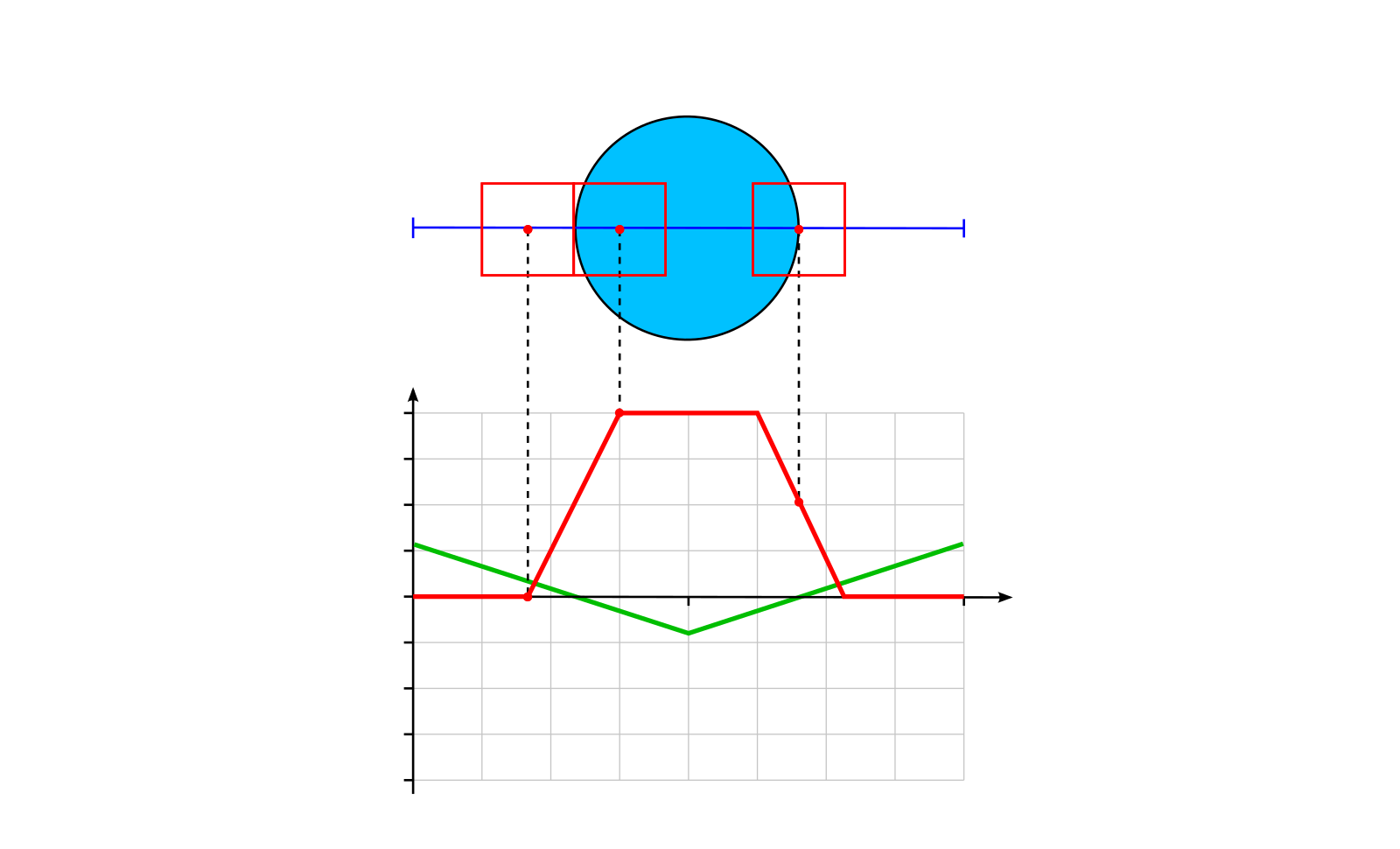
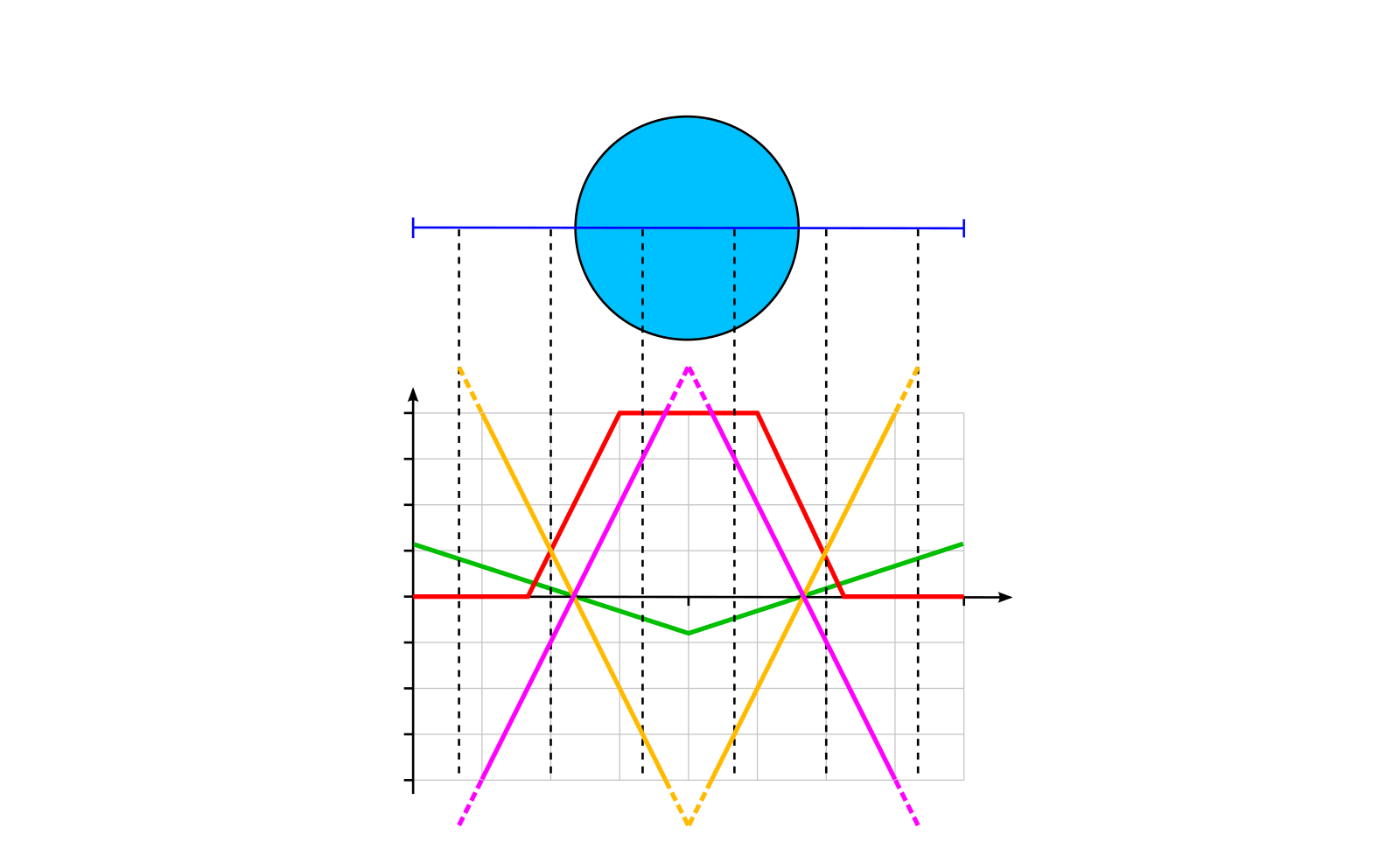
Anti-aliased Fill Function

circle_sdf_anti-aliasing
$1.0$
$1.0$
$-1.0$
$0.5$
$-0.5$
$0.0$
$\operatorname{sdf}$
Sought-after fill function

Anti-aliased Fill Function

circle_sdf_anti-aliasing
$1.0$
$1.0$
$-1.0$
$0.5$
$-0.5$
$0.0$
$\operatorname{sdf}$
$\operatorname{clamp}\left(0.5 - \frac{\operatorname{sdf}}{\operatorname{fwidth}(\operatorname{sdf})}, 0.0, 1.0\right)$
$\frac{\operatorname{sdf}}{\operatorname{fwidth}(\operatorname{sdf})}$
$-\frac{\operatorname{sdf}}{\operatorname{fwidth}(\operatorname{sdf})}$

Anti-aliased Fill and Stroke Functions

  • Anti-aliased Fill Function
    float fill(float sdf) {
      return clamp(0.5 - sdf / fwidth(sdf), 0.0, 1.0);
    }
  • Stroke
    float stroke(float sdf, float strokeWidth) {
      return fill(abs(sdf) - strokeWidth);
    }
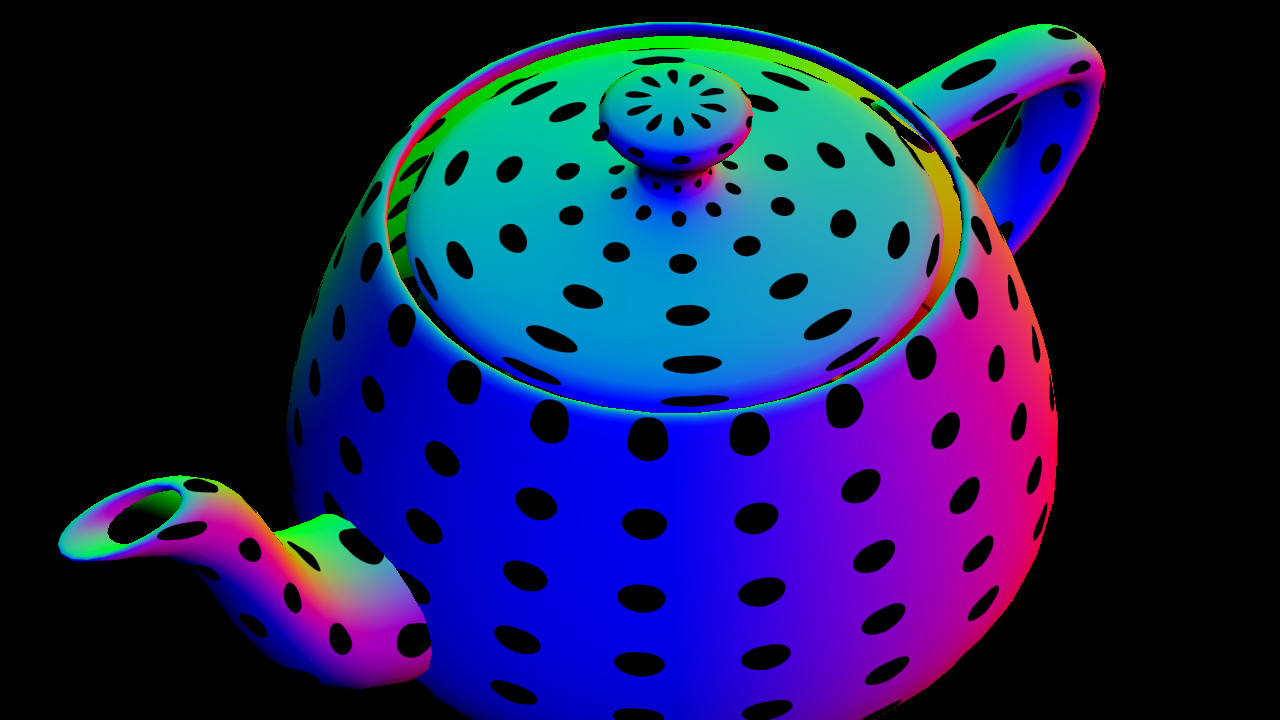
Example: Procedural Texture

teapot_dots
  • GSN Composer: Dots

Procedural Noise

Procedural Noise

  • In computer graphics, procedural noise is the basis for various rendering effects
  • Examples include: clouds, smoke, waves, wood patterns, imperfections, procedural landscapes, etc.

Generation of Pseudo-Random Numbers

  • Creating numbers that appear to have been generated statistically by a genuine random process, but were actually created by a deterministic function
  • The output of a deterministic function is reproducible, meaning it generates the same numbers for the same input parameters
  • In the publication "Hash Functions for GPU Rendering", (2020) by Mark Jarzynski and Marc Olano, the PCG hash (Permuted Congruential Generator) is recommended (good quality at low computational cost):
vec3 random_pcg3d(uvec3 v) {
  v = v * 1664525u + 1013904223u;
  v.x += v.y*v.z; v.y += v.z*v.x; v.z += v.x*v.y;
  v ^= v >> 16u;
  v.x += v.y*v.z; v.y += v.z*v.x; v.z += v.x*v.y;
  return vec3(v) * (1.0/float(0xffffffffu));
}
  • The bits of the 32-bit uvec3 are "shuffled" by multiplication with large prime numbers
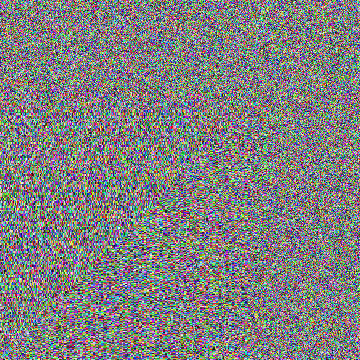
  • Generates an uniformly distributed random number in the range [0.0, 1.0]

Example: Generation of Pseudo-Random Numbers

fake_shadow

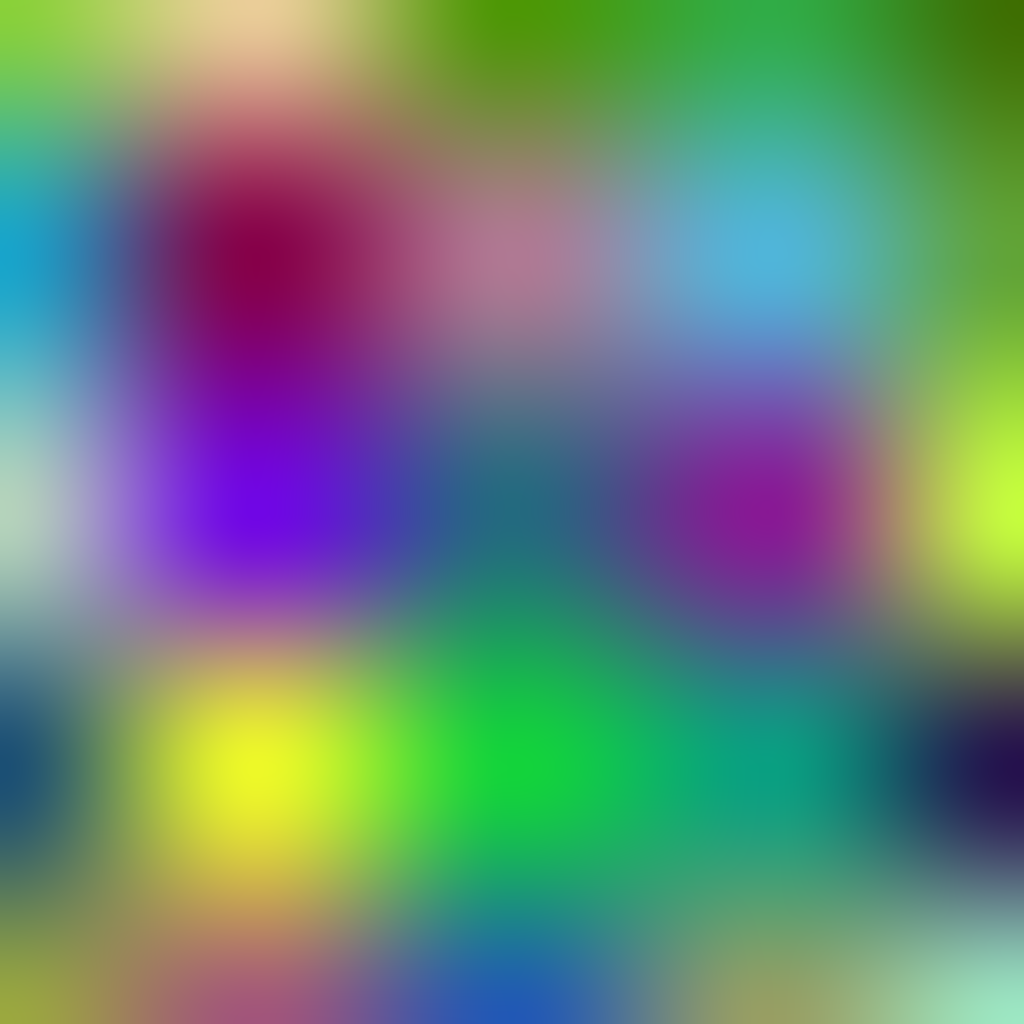
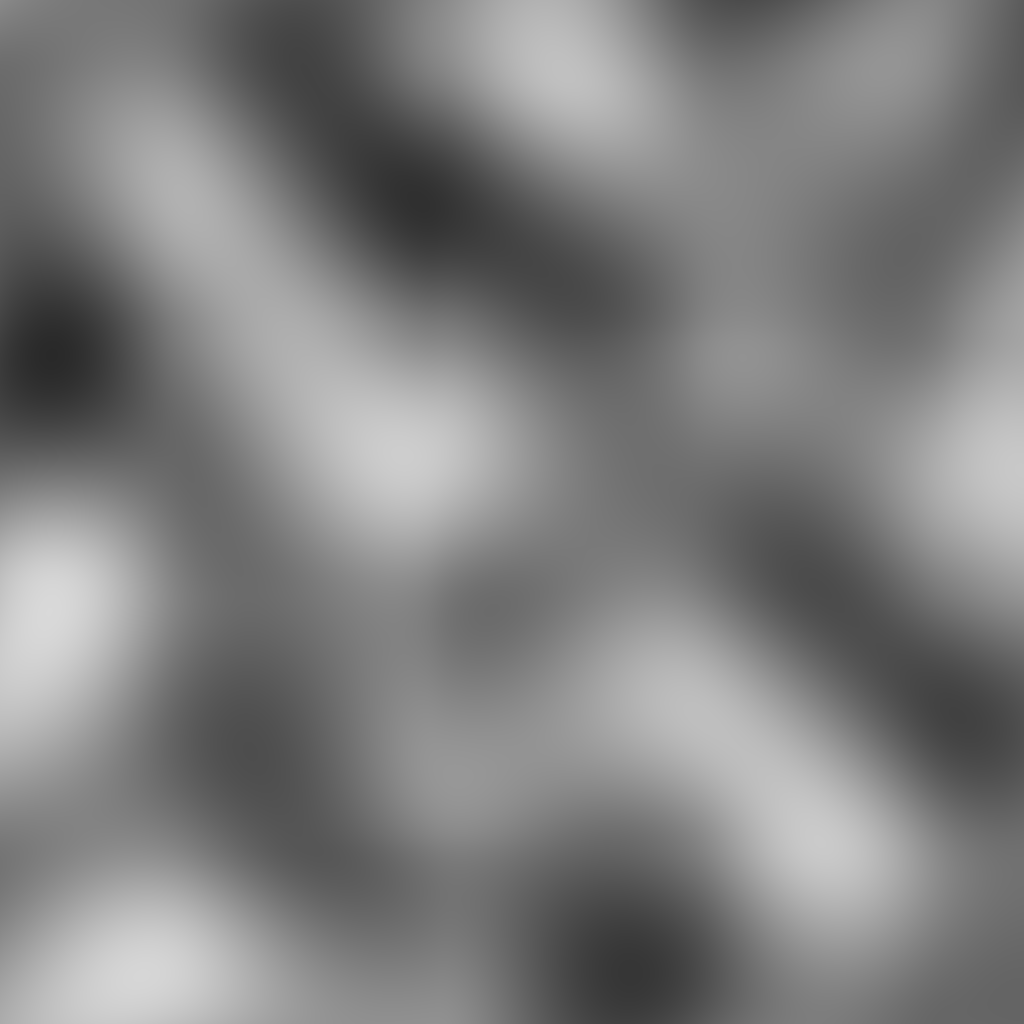
Value Noise

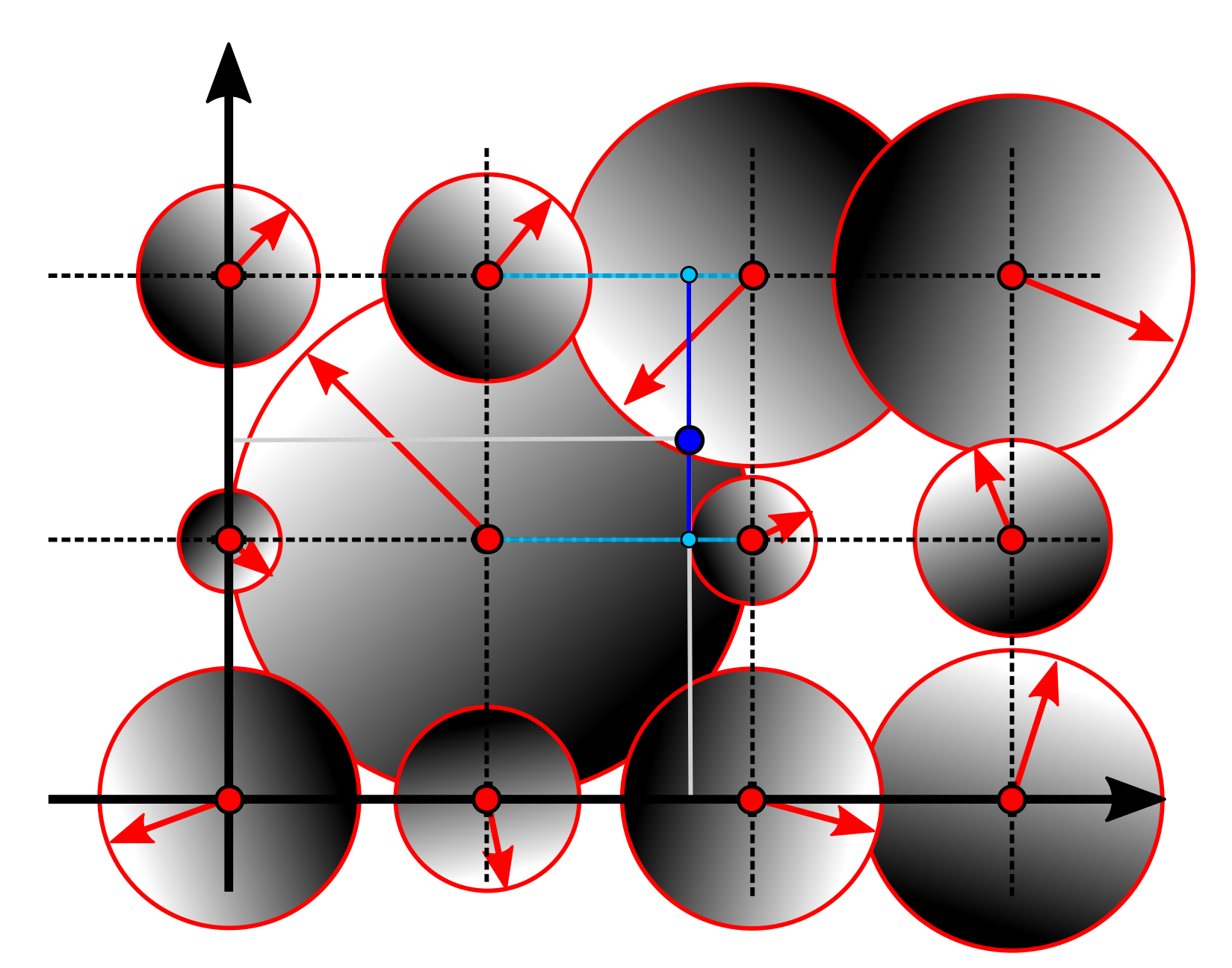
  • Goal: Create a smooth transition between the random values
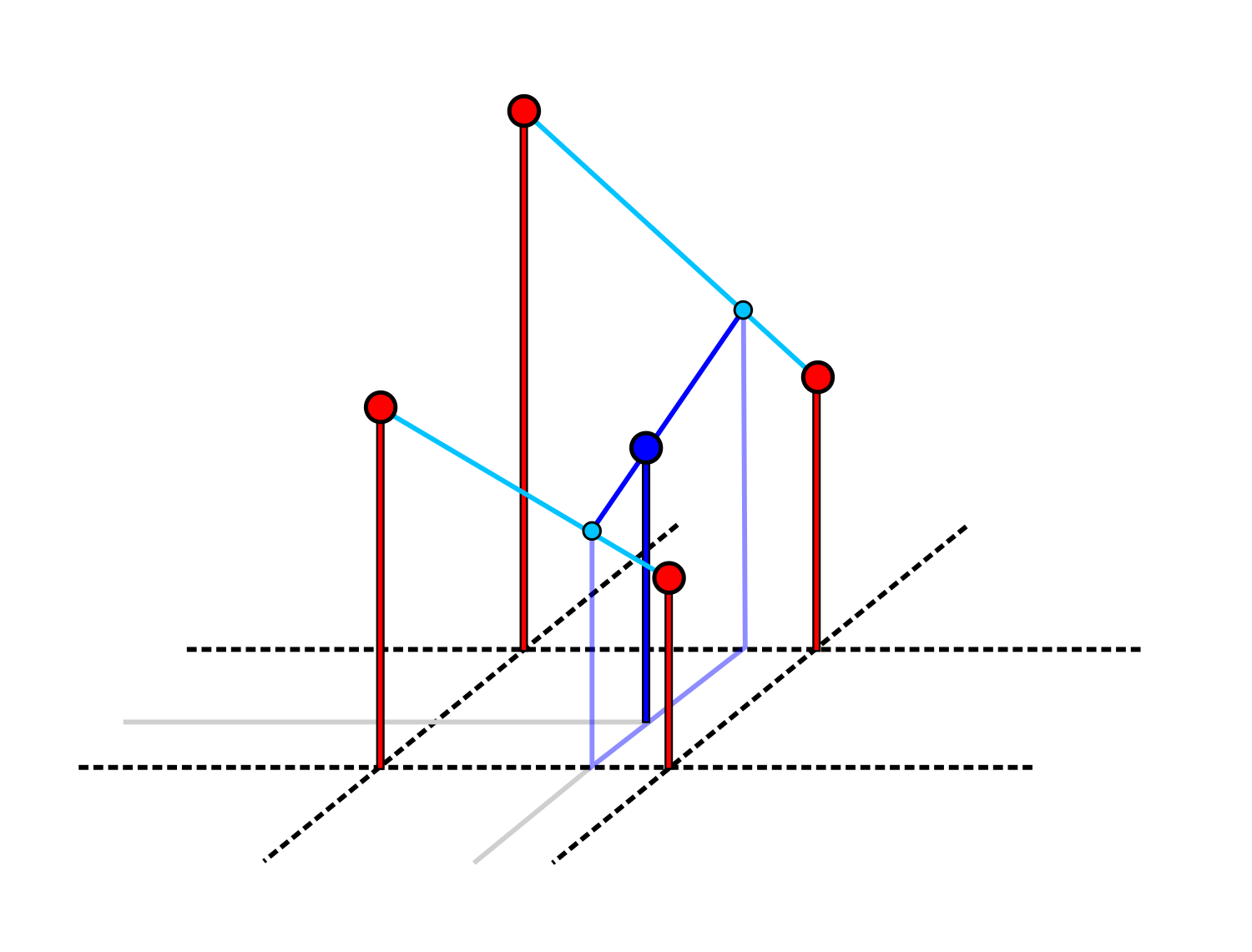
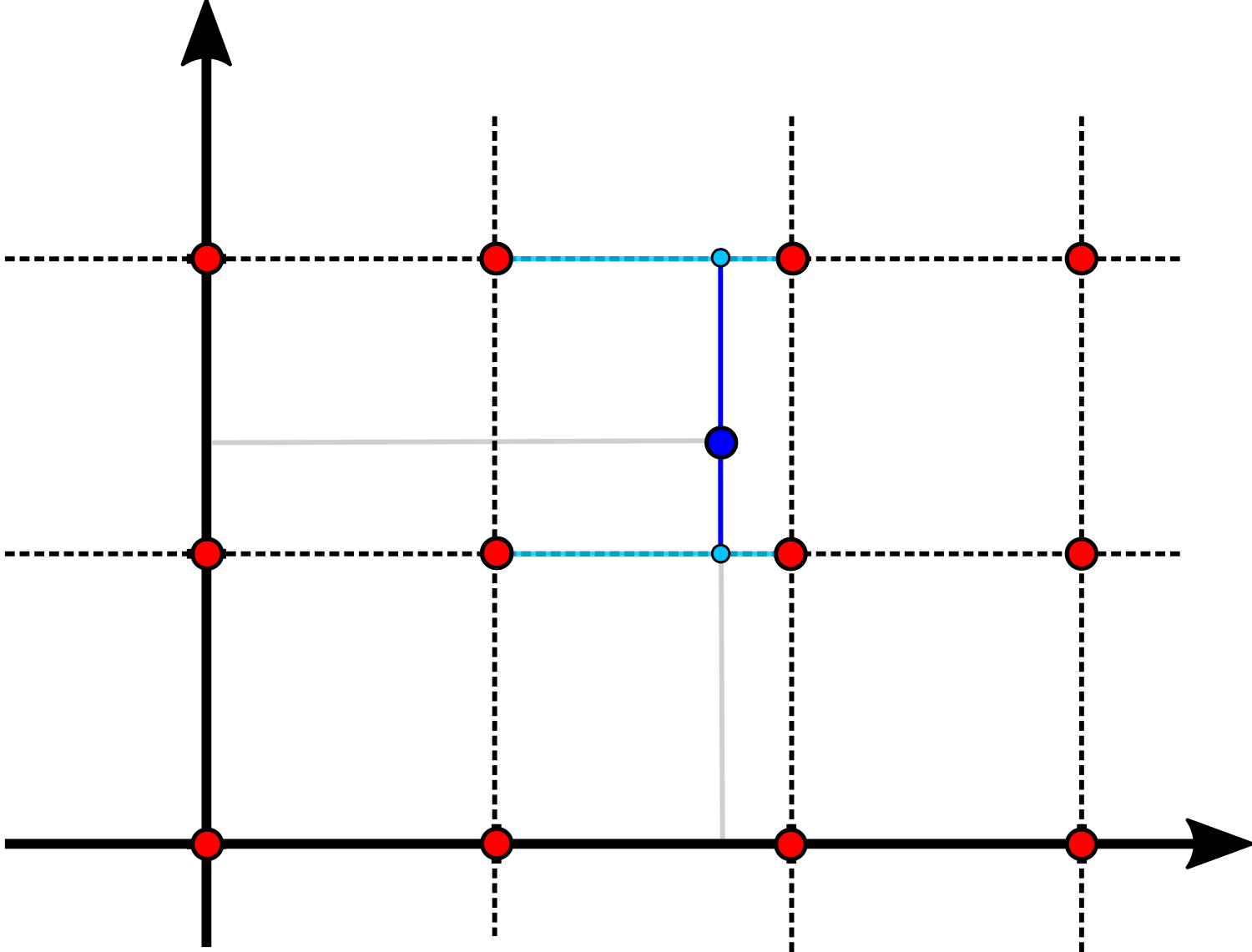
    • Step 1: Generate random values for points on a coarse grid
    • Step 2: Interpolate between the points, e.g., using bilinear interpolation

Bilinear Interpolation

bilinear_interpolation01
$x$
$x_1$
$x_2$
$y$
$y_1$
$y_2$
coarse grid
random
values
$\mathbf{p}$

Bilinear Interpolation

bilinear_interpolation02
$x$
$x_1$
$x_2$
$y$
$y_1$
$y_2$
coarse grid
random values
$\mathbf{p}$
$\mathbf{q}_1$
$f(\mathbf{q}_1) = \frac{x_2-x}{x_2-x_1} f(x_1, y_1) + \frac{x - x_1}{x_2-x_1} f(x_2, y_1)$
$\mathbf{q}_2$
$f(\mathbf{q}_2) = \frac{x_2-x}{x_2-x_1} f(x_1, y_2) + \frac{x - x_1}{x_2-x_1} f(x_2, y_2) $
$f(\mathbf{p}) = \frac{y_2-y}{y_2-y_1} f(\mathbf{q}_1) + \frac{y - y_1}{y_2-y_1} f(\mathbf{q}_2)$

Smoothstep

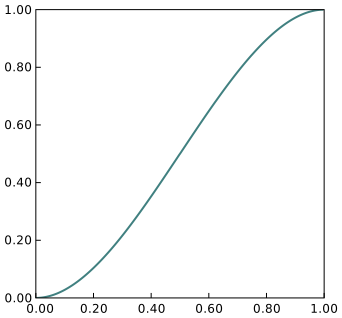
$\mathrm{f}(x) = 3 x^2 - 2 x^3 = x^2 (3 - 2 x)$
smoothstep
 smoothstep(0.0, 1.0, x) 

Example: Value Noise

value noise

Fractal Value Noise

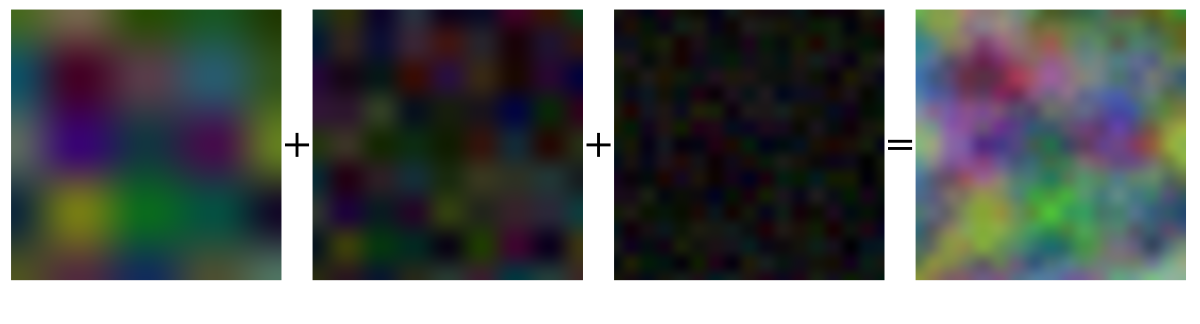
  • The effects observed in nature are often the result of several processes acting at different scales
  • The idea behind fractal noise is that we add noise of different frequencies
  • A common choice of parameters is to double the frequency and halve the amplitude for each layer
fractal_value_noise
Amplitude: 0.500, Frequency: 4
Amplitude: 0.250, Frequency: 8
Amplitude: 0.125, Frequency: 16

Gradient Noise

  • A random gradient value is generated for each grid point
  • The value for a point $\mathbf{p}$ between the grid points is interpolated
gradient_interpolation01
$x$
$x_1$
$x_2$
$y$
$y_1$
$y_2$
$\mathbf{p}$

Gradient Noise

  • The value for a point $\mathbf{p}$ is calculated from the scalar product between the gradient (red) and the vector from the grid point to point $\mathbf{p}$ (blue)
gradient_interpolation03
dot(, ) = -0.3

Sampling a Unit Disk

  • Two uniformly distributed variables $u$ and $v$ in the interval $[0,1]$
  • $r = u, \quad \phi = 2 \pi \,v\quad\quad$
  • $r = \sqrt{u}, \quad \phi = 2 \pi \,v\quad\,$
$x$
$y$
$r$
$1.0$
$1.0$
$\phi$
$ \begin{pmatrix}x\\y\end{pmatrix} = \begin{pmatrix}r \, \cos(\phi)\\r \, \sin(\phi)\end{pmatrix}$

3D Perlin Noise

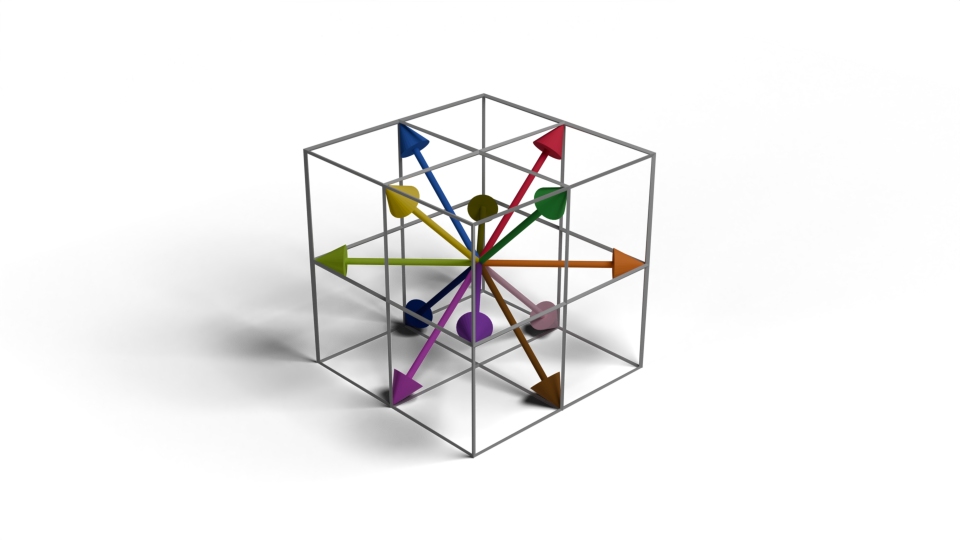
  • 3D Perlin Noise randomly selects 12 different gradients
  • Each gradient vector has a length of $\sqrt{2}$
perlin_gradients
\begin{pmatrix}0\\1\\1\end{pmatrix}
\begin{pmatrix}-1\\0\\1\end{pmatrix}
\begin{pmatrix}1\\1\\0\end{pmatrix}
\begin{pmatrix}-1\\-1\\0\end{pmatrix}
\begin{pmatrix}0\\1\\-1\end{pmatrix}
\begin{pmatrix}-1\\0\\-1\end{pmatrix}

Smootherstep

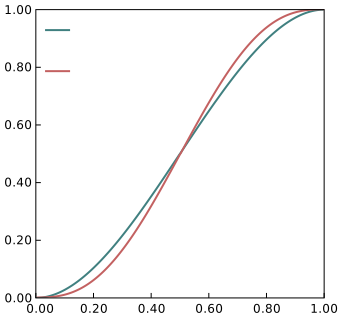
$\mathrm{f}(x) = 6 x^5 - 15 x^4 + 10 x^3 = x^3\,(x\,(6\,x - 15)+10)$
smootherstep
 smoothstep 
 smootherstep 

Example: Perlin Noise

Perlin noise

Are there any questions?

questions

Please notify me by e-mail if you have questions, suggestions for improvement, or found typos: Contact

More lecture slides

Slides in German (Folien auf Deutsch)